Getting started
Get your API key
Generate an organization API key for the REST API or MCP clients that use key authentication.
Claude and ChatGPT can sign in to Postiv with OAuth without an API key. Use an organization API key for the REST API and other MCP clients. Keys generated after the scoped API update can add knowledge, create and schedule drafts, list LinkedIn profiles, and read cached analytics.
Generate the key
- 1Log in to your Postiv account.
- 2Open Settings → Integrations.
- 3Find the Public API section.
- 4Click Generate API Key if you don't have one, or Regenerate Key (adds new scopes) for a legacy key.
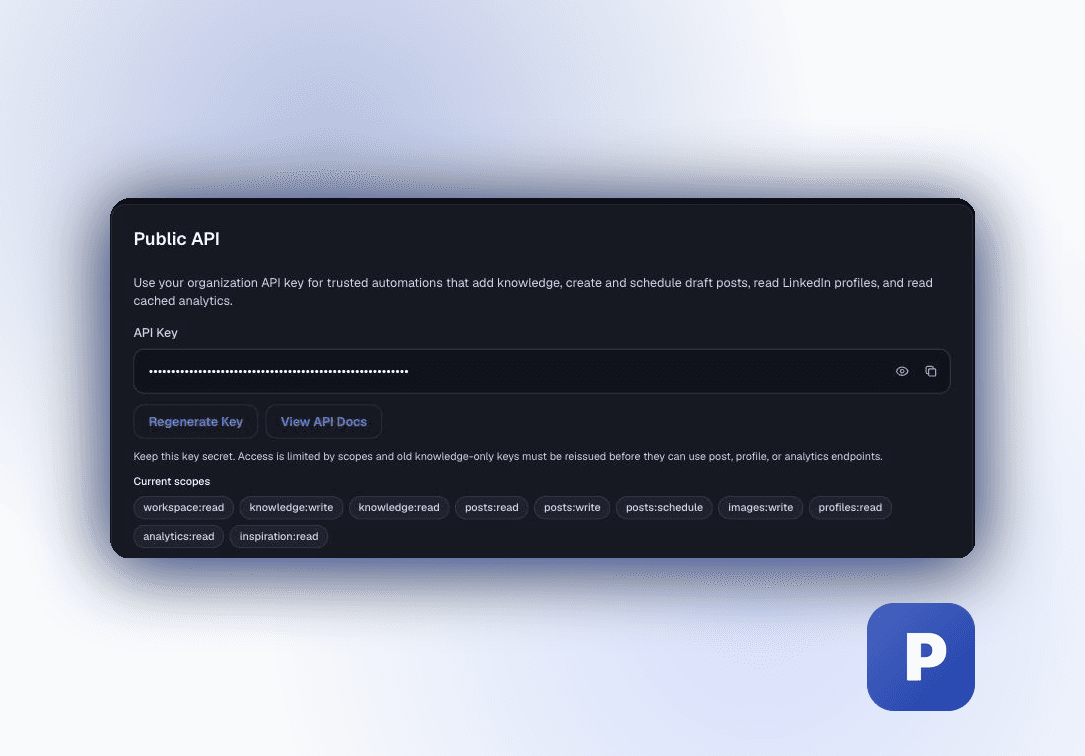
Legacy keys may only have
knowledge:write. Use Regenerate Key (adds new scopes) when broader API access is needed; regeneration invalidates the previous key.API-key authentication for other MCP clients
Connect MCP clients to https://postiv.ai/mcp with the key as an Authorization bearer token. See the Hosted MCP guide for claude.ai, Claude Code, and generic client setup.
Terminal
claude mcp add --transport http postiv https://postiv.ai/mcp \
  --header "Authorization: Bearer pk_postiv_..."
Keep the key secure
Your API key grants access according to its scopes, including workspace automation scopes on new keys. Never share it publicly or commit it to version control. If you believe the key has been compromised, regenerate it immediately from Settings.